My Obsidian Process
Current Set-up and Problems
My writing, inspirations, thoughts, lives on various platforms and/or in various services, and apps. It
- Lacks consistency in
- naming conventions;
- document formatting;
- software of origin (Scrivener, MS Word, Pages, etc.)
- Is not searchable;
- Digital copies only; not saved in multiple locations.
My Goals
- combine my digital knowledge base and writing
- WRITE
My Wants and Needs
My brain and my heart like systems that
- keep me engaged;
- feed my tendency to rabbit hole;
- and are easily sustainable/repeatable
- can be translated easily to paper and pen (format);
- doesn't make me feel like an idiot when trying to customize the system;
- is not so process-intensive that I forget what I initially want to do;
- isn't run by a raging tech bro who wants world domination, a harem, and eugenics dressed up as loving concern.
Solving the Problem
Many of my clients ask me to recommend the best planner or software to help them reach their goals. I tell them what a friend once told me:
The best system is the one that gets you to do whatever you need to complete. The best is the one you will use.
Current Tools:
Hardware and Peripherals
- Windows PC. See my Computer Specs
- iPhone 13 Max Pro
- Mac PowerBook circa 2022
- Kindle Paperwhite (11th gen)
- iPad Pro (old)
- Logitech MX Ergo S Plus mouse
- Logitech MX Vertical
- Yeti Classic Mic
Software
- Obsidian (Why Obsidian)
- Obsidian Web-clipper
- Obsidian Digital Garden Publisher Plugin
- QuickAdd (plugin for fast capture)
- Bases (Obsidian's built-in tables)
- Github
- Vercel (hosts this site)
- The StoryGraph (for tracking read and to-be-read books)
Analog
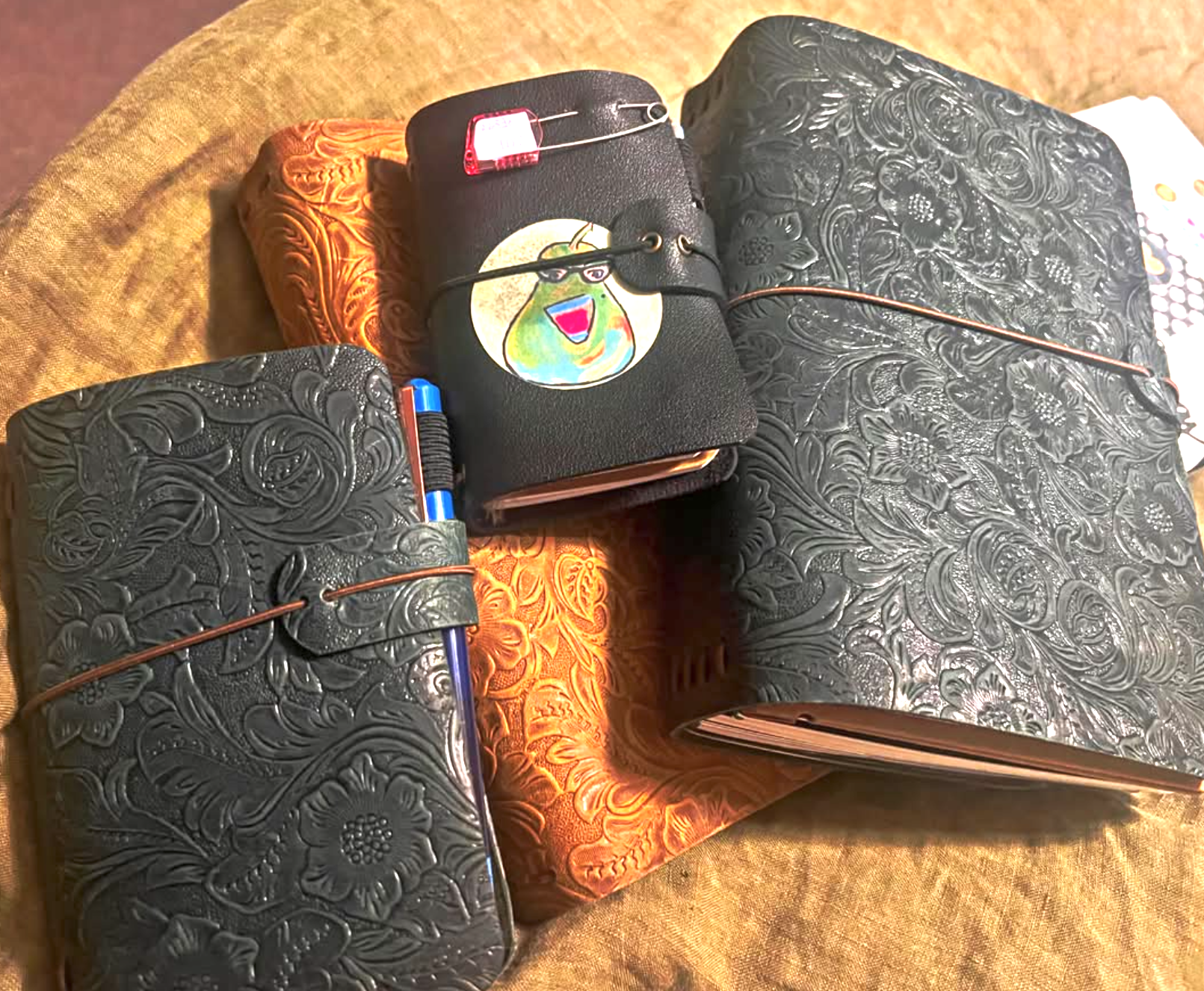
Several leather notebooks made by my friend, V3 Leather Journals.
How It Works Now
Everything lives in one Obsidian vault, and the vault runs on a few rules instead of a tower of folders. The bones come from Steph Ango (kepano), who runs Obsidian, and his post on how he uses Obsidian. The trimming came later, from Ryan at Stimpunks.
Two questions per note
Every note answers two questions in its properties:
- What kind of note is this? That's
categories: - What is it for? That's `projects.
Folders barely matter. A note shows up in the right table because of its properties, not because of where I dropped it. Tags carry topics that cut across projects, like my cult series.
The projects
- FLOE (For Love of Education): the alternative learning program and education consultancy I'm building. A collection of ideas for individualized learning and enrichment, inclusive lessons, workshops and courses, teaching, and anything educational in focus.
- Writing: creative and sometimes more scholarly in tone ( my ongoing cult series)
- MMN (My Mercurial Nature): my Living Journal, YouTube channel, and Podcast
- Commonplace Notebook: quotes I want to keep. These will remain unchanged.
Where things land
- Notes for anything I write. They are tagged with
inboxuntil I finish processing the note. Processing means choosing aproject, acategory, and sometags. - Clippings for things saved from the web. These are unchanged and I use new notes for my response to the Clipping, should I want to. Most times I am clipping for a later use/read.
- References for books, people and quotes, things that exist outside me
- Daily for one note per day
Anything I stopped using went to an archive folder. Nothing got deleted.
Sources stay sources
A Clipping is a copy of someone else's work, so I leave it alone. My reaction goes in its own note that links back to it. Later I can always tell what I read apart from what I thought about it.
Commonplace Notebook
The rules come from the Stimpunks Zibaldone:
The spine of this is TASL — Title, Author, Source, Licence, which is Creative Commons’ own shorthand for crediting something you have reused. It is the right skeleton for a photograph, where the thing you are pointing at is one file at one address. A quotation needs three more, marked + below: which printing, where you found it, and what it is for.
- 30 words or fewer;
- no song lyrics;
- a citation someone else could check: author, title (chapter and page when I can), edition, year, publisher, license, and where I found it.
A small script refuses to save an entry that breaks a rule. That helps on the days my brain wants to skip steps. Older Commonplace Notebook entries (before October 1, 2026) don't follow these rules.
Concepts
One note per idea: examples: DARVO, triangulation, UDL, monotropism. Every draft or lesson that uses the idea links to it, so each concept page gathers everything that touches it.
Daily notes
Quick thoughts land in the daily note with a timestamp. At the end of the day, one command saves a list of every note I made or edited. If I forget, it catches up the next time I open Obsidian. The system is built for the days I'm running low, not only the good ones.
Publishing
This site is the public slice of the vault. A note stays private until I check a box on it.
- Drafts never go out, even if I check the box by mistake;
- a finished piece has to move from Draft to Post first.
The site menu follows Project, then Category, then Note, and every tag has its own list on the Tags page.